Tuesday, July 28, 2026

What Is an LLM, Actually?

You've probably heard the term "LLM" a hundred times — Large Language Model, the brain behind ChatGPT, the "AI" everyone's talking about. But what is it, really?


A robot surrounded by open books, reaching up as if catching them
An LLM doesn't "know" everything — it's just read an enormous number of books.

Start With a Simple Picture

Imagine someone who has read almost everything ever written — every book, every website, every conversation posted online. But they've never lived in the real world. They've only ever read.

Now you ask this person a question. They don't look up the answer in a book. Instead, they start guessing the next word that makes sense, based on everything they've read before. Then the next word. Then the next.

That's basically what an LLM does. It's not searching for facts. It's predicting one word at a time — guessing what comes next, based on patterns it has seen millions of times before.

How It Actually Works

Here's the whole process, in order:

  1. You type something — a question, a sentence, anything.
  2. The model breaks it into small pieces (not always full words — sometimes just chunks of words).
  3. It predicts the most likely next piece, based on patterns from everything it was trained on.
  4. It adds that piece to the sentence, then predicts the next one.
  5. It repeats this, one piece at a time, until it has a full answer.

That's it. There's no separate "thinking" step where it plans the whole answer first. It's building the response one word at a time, live, as it goes — a bit like talking off the top of your head instead of reading from a script.

A Simple Example

Here's what "guessing the next word" looks like:

You type: "Once upon a"
It guesses: "time"

Nobody told it "Once upon a time" is a famous phrase. It just noticed, from reading a huge amount of text, that "time" comes after "once upon a" more often than any other word. That's the whole trick, done billions of times.

Model vs. Interface — Not the Same Thing

This trips a lot of people up, so let's clear it up simply.

The model is the actual "brain" doing the word-guessing. The interface is just the app or website you use to talk to it — like a car's dashboard sitting on top of its engine.

Interface (the app)
ChatGPT
runs on
Model (the brain)
GPT-4o
Interface (the app)
Claude.ai
runs on
Model (the brain)
Claude Opus 4.8

Same app, different "brain" underneath — that's why ChatGPT can feel smarter or faster after an update, even though the app itself looks unchanged. You didn't get a new dashboard. You got a new engine.

A Simple Thing You Can Try

Ask any AI chatbot the same kind of question three times, and compare a creative prompt to a factual one:

  • Creative: "Tell me a fun fact about octopuses."
  • Factual: "What temperature does water boil at?"

Notice the creative answers change a lot each time, but the factual one barely changes at all. For the factual question, there's one clear "most likely" answer, so it says roughly the same thing every time. For the creative question, lots of answers are equally likely, so you get real variety — same process, different results depending on the question.


Friday, November 3, 2023

Google Cybersecurity Professional Certificate


 Google Cybersecurity Professional Certification


🔒 Google Cybersecurity Professional Certification: A Journey Unveiled! 🔒

Hey Folks! 🌟

I'm thrilled to share my achievement – I've successfully completed the "Google Cybersecurity Professional Certification" on Coursera! In this blog post, I can't wait to take you through my incredible journey during this certification program.


🌐 Where to Find the Course?
This amazing certification is available on Coursera, an outstanding E-learning Platform offering a plethora of professional certifications. Whether you're stepping into IT or advancing your IT career, Coursera is the place to be!  


🔑 Accessing the Course: Your Choice!
You can access this course through various methods:


Paid Version: With certification.
Audit the Course: Without certification.
Financial Aid: Yes, you can earn the certification without breaking the bank, thanks to financial aid!
For students passionate about cybersecurity, financial aid opens doors to a world of knowledge and a valuable certification. 🎓


🚀 The Value of This Course:
This certification is exceptionally beginner-friendly, catering to both IT and non-IT backgrounds. It covers a wide array of cybersecurity topics and is a bundle of 8 comprehensive courses.


The Eight Courses:
  1.  Foundations of Cybersecurity: Mastering the fundamentals. 📘
  2.  Connect and Protect: Networks and Network Security: Building secure networks. 🌐
  3.  Assets, Threats, and Vulnerabilities: Understanding cybersecurity risks. 🔍
  4.  Tools of the Trade: Linux and SQL: Proficiency in essential tools. 💻
  5.  Sound the Alarm: Detection and Response: Rapid incident response skills. 🚨
  6.  Automate Cybersecurity Tasks with Python: Automating security processes. 🐍
  7.  Play It Safe: Manage Security Risks: Implementing risk management strategies. 🛡️
  8.  Put It to Work: Prepare for Cybersecurity Jobs: Preparing for real-world cybersecurity roles. 🌐


👩‍💻 Expert Guidance from Google Cybersecurity Professionals:
All these courses are led by experts from the Google cybersecurity team. Their real-time experiences and insights enrich the learning journey, aligning with industry trends.


🕒 Is It Worth Your Time and Effort? Absolutely, YES!
Investing time in this certification is an investment in your future. You'll gain valuable insights into the real world, learning from professionals' experiences and methodologies. This course is not just for IT professionals – it's for anyone passionate about entering the dynamic field of cybersecurity. This certificate definitely improves your profile.

🔗 To enroll in the course, click on the following link:  Google Cybersecurity Professional Certification


Ready to embark on this transformative journey? Let's dive in together! 🚀🔐 #CybersecurityJourney #GoogleCertificate #ITEducation #Coursera #Cybersecurity #Networking #Python #Linux #SQL #GoogleCybersecurity #Professional 🌟

Sunday, April 9, 2023

Pentest Toolkit - Post Exploitation Tools

 Pentest Toolkit - Post Exploitation Tools


Post Exploitation :

Post-exploitation is the stage in the attack lifecycle where an attacker maintains access and control over a compromised system or network after the initial intrusion. The goal of post-exploitation is to gather as much information as possible about the target environment, escalate privileges, maintain persistence, and exfiltrate valuable data.

During post-exploitation, attackers typically move laterally through the network, searching for additional targets and sensitive information. They may also use various techniques to evade detection, such as deleting logs, installing rootkits, and altering system settings.

Post-exploitation can involve various activities, including:

  • Privilege Escalation: A technique that involves increasing the level of access and control over the target system or network.
  • Lateral Movement: A technique that involves moving laterally through the network to find additional targets and sensitive information.
  • Data Exfiltration: A technique that involves stealing and exfiltrating sensitive data from the target system or network.
  • Persistence: A technique that involves maintaining access and control over the target system or network to ensure ongoing access.

Post-exploitation is a critical stage in the attack lifecycle, as it allows attackers to maintain access and control over a compromised system or network, and can lead to significant damage to the target organization. It is therefore important for security professionals to have a deep understanding of post-exploitation techniques and to develop effective strategies for detecting and mitigating these attacks.


Toolkit used for exploitation:

  • Cobalt strike
  • Convenant
  • Gcat
  • Travorc2
  • Merlinc2
  • dnscat
  • LinEnum
  • Silenttrinity
  • Psattack
  • UacMe
  • Powerup
  • Sherlock
  • Tokenvator
  • Potato
  • Pentest Monkey
  • Incognition
  • Meterpreter
  • Mimitatz
  • Powershell Rat
  • Responder
  • Powersploit


In the upcoming blogs, we can see about other tools that are used in the penetration testing process!

Saturday, April 8, 2023

Pentest Toolkit - Exploitation and Red Team Techniques

Pentest Toolkit - Exploitation and Red Team Techniques


Exploitation and Red Team Techniques


  • Exploitation refers to taking advantage of vulnerabilities or weaknesses in a system or network to gain unauthorized access or control. Exploits are often used by attackers to carry out malicious activities, such as stealing sensitive information, compromising systems, or installing malware.
  • Exploits can be developed by attackers or obtained from public sources and can be delivered through various means such as email, malicious websites, or social engineering tactics. Exploits can target various system components, including software, operating systems, and network devices.
  • In cybersecurity, Red Team Techniques are used to simulate attacks against an organization's systems and infrastructure to identify weaknesses and improve security measures. Red Teams are groups of security professionals who use real-world attack techniques to assess an organization's defenses and find vulnerabilities that could be exploited by attackers.
  • Red Team Techniques can involve various methods, including penetration testing, social engineering, physical security testing, and network mapping. The goal of Red Team Techniques is to provide organizations with a better understanding of their security posture and to identify areas that need improvement.

Toolkit used for exploitation:

  • Metasploit
  • Beef
  • Exploitdb and Searchsploit
  • Routersploit
  • Sqlmap
  • Hydra
  • Patator
  • Github search exploit
  • Mitre Attack
  • Veil-evasion
  • Setoolkit 
  • Shellphish
  • Unicorn
  • LuckyStrike
  • Eggshell
  • Burp suite
  • Exploit pack
  • Linux Suggester
  • Shellter and Hyperion
  • Netcat
  • Cryptcat
  • Crunch & Ophcrack & John


In the upcoming blogs, we can see about other tools that are used in the penetration testing process!

Thursday, March 30, 2023

Pentest Toolkit - Scanning & Enumeration

 Pentest Toolkit - Scanning & Enumeration


Scanning and Enumeration :

Scanning and Enumeration are two essential steps in the process of network enumeration and reconnaissance in the field of cybersecurity.

Scanning:
Scanning is the process of probing a target network or system to identify open ports, services, and operating systems. It involves sending network traffic to target systems and analyzing the responses to determine which systems are active and what services are running on them.
Scanning can be performed using various tools, including port scanners, vulnerability scanners, and network mapping tools. The goal of scanning is to gather information about the target network or system, such as identifying the IP address, hostname, open ports, services running on those ports, and the operating system being used.

Enumeration:
Enumeration is the process of gathering information about a target system, network or application by actively querying it. It involves connecting to the target system or network and extracting useful information that can be used to launch further attacks. Enumeration often follows scanning and can be performed manually or with the help of automated tools.
Enumeration involves probing the system or network for vulnerabilities, identifying usernames, passwords, and other system information, and gathering data about the target’s network architecture. Enumeration can be done through various methods such as brute-forcing, querying DNS, performing banner grabbing, and extracting information from system files, etc.

Scanning and Enumeration Toolkit :

  • Nmap
  • Nikto
  • Dnsenum
  • Openvas & Nessus
  • Oscanner
  • Enum4linux
  • PrivesCheck
  • LinEnum
  • Dnsdumpster
  • Sqlninja
  • Sqlsus
  • Vega
  • Wpscan and joomscan
  • Dirb
  • Gobuster
  • wfuzz
  • Filmap
  • CURL
  • Whatweb
  • Powershell scripts

In the upcoming blogs, we can see about other tools that are used in the penetration testing process!

Wednesday, March 29, 2023

Pentest Toolkit - Information Gathering

Pentest Toolkit - Information Gathering


  • The penetration tester uses tools to find information about the site and vulnerabilities in the site.
  • Most of the tools mentioned here are free and open source.
  • The tools can be used to automate certainly and make them organized.
  • Learning to use tools is necessary for penetration tester but it is essential to understand how the tool work and how to perform that operation without a tool. Since the understanding of basics is essential.
  • Various tools are available for penetration testing, from information gathering to report writing. 
  • In the following blogs, we can get to know about those tools that are used!


Information Gathering:

    • Osint Framework
    • DIg
    • Dnsenum
    • Sublist3r
    • Dnstracer
    • Hping3
    • Whois
    • Nmap
    • Google Hacking Database
    • Doxing Techniques
    • Dnsrecon
    • Sslstrip
    • Wireshark
    • Recon-ng
    • Nikto
    • Maltego & Casefile
    • Meetagofil
    • Walw00f

In the upcoming blogs, we can see about other tools that are used in the penetration testing process!

Tuesday, March 28, 2023

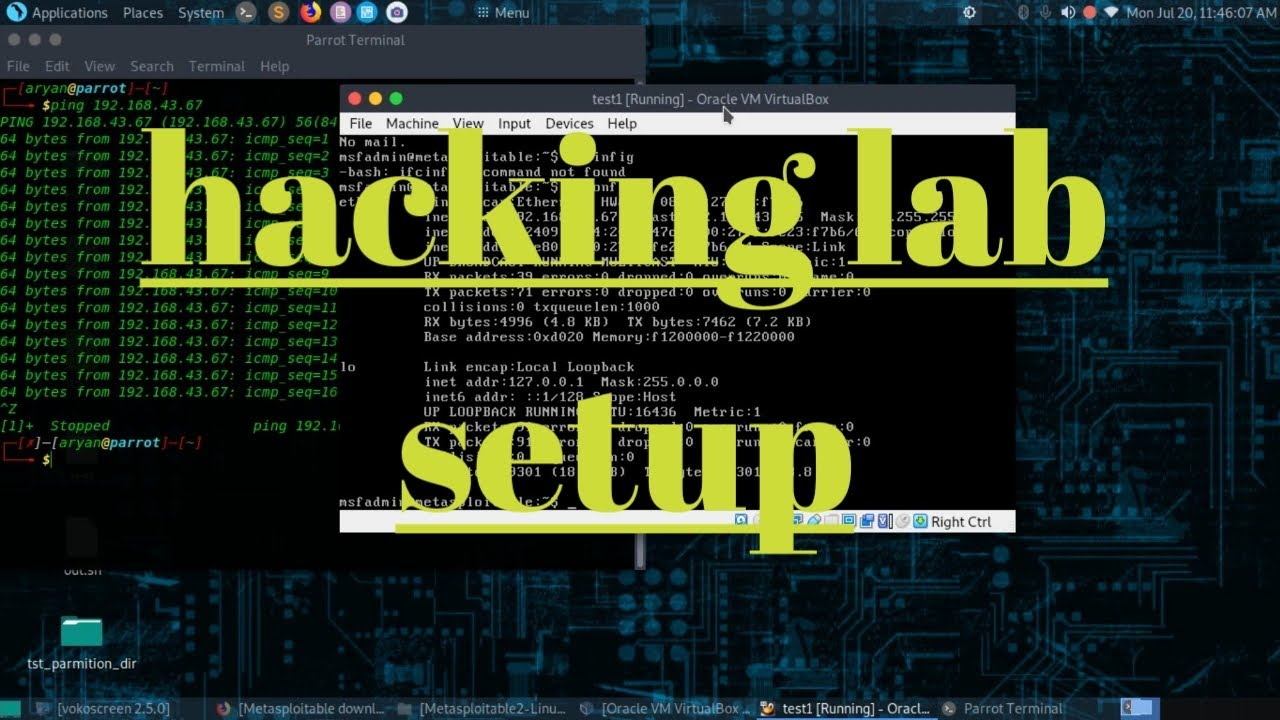
Hacking Lab setup

Practice is the only way to check what we know and what we need to know.

In this domain, It is illegal to perform any kind of attack on the running network without proper permission. So, To improve knowledge a lab is created with vulnerabilities that can be exploited by individuals. This lab can be hosted by the tester in their own system and network in an isolated environment which doesn't cause any damage to any organisation or individuals.

This platform is known as Metasploitable.

In this blog, we can understand in detail the Metasploitable lab and how to use it...

Metasploitable


Introduction

Metasploitable is an intentionally vulnerable virtual machine designed to be exploited for testing and learning purposes. It is a popular tool for penetration testing and security research, providing a platform for practicing and improving hacking skills in a safe and controlled environment.


In this blog, we will take a detailed look at Metasploitable, including its features, how to set it up, and some of the most common exploits that can be used to attack it.


Features

Metasploitable is designed to simulate a real-world vulnerable system, with various services and configurations that can be exploited to gain access and perform attacks. Some of the features of Metasploitable include:

  • Multiple services: 
    • Metasploitable includes a variety of services such as web servers, FTP servers, and databases, all of which can be exploited using different techniques.

  • Realistic configurations: 
    • The system configurations in Metasploitable are designed to be realistic, including default passwords, vulnerable software versions, and insecure settings.

  • Easy to set up: 
    • Metasploitable is easy to set up and run, with pre-installed software and configurations that require minimal configuration.


Setting up Metasploitable

To set up Metasploitable, you will need to download the virtual machine image from the official website and install it in virtualization software such as VirtualBox or VMware.

Here are the steps to set up Metasploitable:

  • Download the Metasploitable virtual machine image from the official website.
  • Install virtualization software such as VirtualBox or VMware on your computer.
  • Open the virtualization software and create a new virtual machine.
  • In the settings of the new virtual machine, select the option to use an existing virtual hard disk and choose the Metasploitable virtual machine image that you downloaded.
  • Start the Metasploitable virtual machine and wait for it to boot up.
  • Once the virtual machine is running, you can connect to it using SSH or a web browser, depending on the services that you want to access.

Common exploits for Metasploitable

There are many different exploits that can be used to attack Metasploitable, depending on the specific services and configurations that are running. Here are some of the most common exploits that can be used:

  • Exploiting vulnerabilities in the Apache web server: 
    • Metasploitable includes a vulnerable version of the Apache web server that can be exploited using tools such as Metasploit to gain access to the system.

  • Exploiting vulnerabilities in the SSH server: 
    • Metasploitable also includes a vulnerable version of the SSH server that can be exploited using tools such as Hydra or Metasploit to perform brute-force attacks on the login credentials.
  • Exploiting vulnerabilities in the FTP server: 
    • The vulnerable version of the FTP server in Metasploitable can be exploited using tools such as Metasploit to gain access to the system.
  • Exploiting vulnerabilities in the Samba server: 
    • Metasploitable includes a vulnerable version of the Samba server that can be exploited using tools such as Metasploit to gain access to the system.


Conclusion

Metasploitable is a powerful tool for penetration testing and security research, providing a realistic and controlled environment for practicing hacking skills. By setting up and attacking Metasploitable, security professionals and enthusiasts can gain valuable experience in identifying and exploiting vulnerabilities in real-world systems, and improve their overall security knowledge and skills. However, it's important to use Metasploitable responsibly and ethically, and only on systems that you have permission to test.

What Is an LLM, Actually?

You've probably heard the term "LLM" a hundred times — Large Language Model, the brain behind ChatGPT, the "AI" ev...